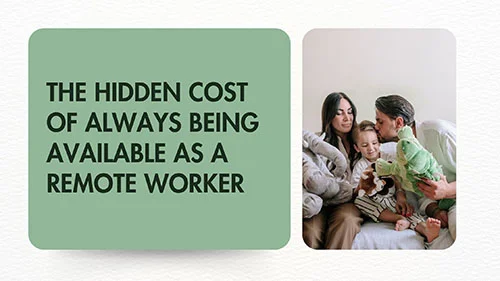
Remote work was supposed to give us more control over our time.
No commute. More flexibility. The ability to organize your day around your most productive hours. In many cases, the freedom to work from almost anywhere in the world.
But there is a less obvious side to that flexibility.
When your office is your laptop, your clients are spread across different time zones, and your communication tools are always within reach, it becomes surprisingly easy to be available all the time.
A Slack notification during dinner.
A client email at 10 PM.
A message that starts with, “Quick question…”
A calendar invitation scheduled outside your normal working hours.
None of these events may seem significant on their own. The problem is what happens when they become a pattern.
Always being available can turn remote work from a flexible way of working into an always-on lifestyle.
The solution is not necessarily to become less responsive or less committed to your clients. It is to create a work system that makes your availability predictable, intentional, and sustainable.
What Does “Always Available” Actually Mean?
Being always available does not necessarily mean working 16 hours a day.
It can be much more subtle.
You may technically work eight hours, but still spend another three or four hours:
- Checking messages before breakfast
- Looking at email during breaks
- Responding to notifications while having dinner
- Thinking about unanswered messages
- Checking project updates before going to sleep
- Joining meetings because “that’s the only time that works”
- Keeping your phone next to you in case a client needs something
The result is a workday that has no clear edges.
You are not necessarily working all the time.
But you are never completely away from work.
That distinction matters.
The Hidden Cost of Constant Availability
The obvious cost of being constantly available is time.
The less obvious costs involve attention, recovery, planning, and the quality of your work.
1. Your Workday Starts Before You Start Working
Imagine checking your phone at 7:30 AM and seeing three messages from clients.
You have not officially started work.
But your brain is already processing:
- What needs to be answered?
- Is something urgent?
- Did I miss a deadline?
- What should I work on first?
- Does someone expect a response?
Your working day has started psychologically before it has started on your calendar.
Over time, this can make it harder to establish a clear transition between personal time and professional time.
2. Small Interruptions Create Large Disruptions
A notification may take only a few seconds to read.
But reading a message can change what you are thinking about.
You might be writing a proposal and suddenly see a client asking about a different project.
Even if you do not respond, your attention has moved.
You now have to return to the original task.
This is particularly problematic during deep work: writing, programming, design, research, strategy, or any task that requires sustained concentration.
The issue is not necessarily the amount of time spent reading the notification.
It is the interruption of your attention.
3. Flexibility Can Become Permanent Availability
Remote work offers flexibility.
But flexibility and availability are not the same thing.
Flexibility means you have some control over when and where you work.
Permanent availability means other people can access your attention whenever they want it.
Those are very different arrangements.
A sustainable remote-work system should provide flexibility without requiring constant accessibility.
Why International Remote Work Makes This Harder
Working with international clients adds another layer.
A freelancer in Brazil might have a client in New York, another in London, and another in Singapore.
There is always somebody somewhere who is beginning their workday.
That can create a dangerous mental shortcut:
“If I want to provide excellent service, I need to be available whenever my clients are working.”
You usually don’t.
What clients generally need is reliable communication, not unlimited access to your attention.
A predictable response time, clear expectations, good documentation, and effective handoffs can often provide a better experience than trying to stay online across every time zone.
The Goal Is Reliability, Not Instant Availability
Consider these two freelancers.
Freelancer A
Responds almost immediately but has no defined working hours.
Clients don’t know exactly when they will receive an answer, but they know the freelancer often responds eventually—even late at night.
Freelancer B
Usually responds within one business day.
Their availability is clearly defined. Meetings are scheduled within specific windows. Urgent requests have a defined process.
The second system may actually be easier for clients to work with because expectations are clear.
Professionalism is not measured by how quickly you answer every message.
It is often measured by how reliably you communicate and deliver.
7 Ways to Stop Being Always Available
You don’t need to disappear from your clients.
You need boundaries that make your availability predictable.
1. Define Your Core Availability Hours
Start by deciding when you are normally available for real-time communication.
For example:
Core availability: 10:00 AM–3:00 PM
Deep work: 8:00 AM–10:00 AM
Administrative work: 3:00 PM–4:30 PM
Offline: After 5:00 PM
This is only an example. Your schedule should reflect your clients, location, responsibilities, and preferred working style.
The important part is that you know the difference between:
- When you are working
- When you are available
- When you are unavailable
Those are not necessarily the same thing.
2. Establish Response-Time Expectations
One of the easiest ways to reduce availability pressure is to tell clients what they can expect.
For example:
“I generally respond to messages within one business day. For scheduled project communication, I’m available during my core working hours.”
That simple statement removes ambiguity.
Clients no longer have to guess whether you are available.
And you no longer have to feel that every message requires an immediate response.
For international clients, consider including your primary time zone when appropriate.
Instead of:
“I’ll get back to you tomorrow.”
Use:
“I’ll get back to you by 10:00 AM São Paulo time tomorrow.”
Specificity reduces confusion.
3. Create an Urgency System
Not every message deserves the same response time.
A useful system could have four levels.
Level 1 — Emergency
Something genuinely time-critical that requires immediate attention.
Level 2 — Time-sensitive
Requires attention during the current working day.
Level 3 — Normal
Can be handled during the next communication block.
Level 4 — Non-urgent
Can wait for the next scheduled work period.
The exact definitions depend on your business.
The important principle is simple:
If everything is urgent, nothing is actually prioritized.
You can also define which communication channel should be used for genuine emergencies.
That prevents ordinary messages from being treated like emergencies simply because someone wants a quick answer.
4. Turn Off Non-Essential Notifications
Your notification settings are part of your work system.
Consider disabling notifications for:
- Non-urgent email
- Project management updates
- Group chats
- Social media
- General Slack or Teams channels
- Automated alerts that don’t require immediate action
Instead, create specific periods for checking communication.
For example:
9:30 AM — Messages
12:30 PM — Messages
3:30 PM — Messages
This approach does not mean ignoring clients.
It means deciding when communication receives your attention instead of allowing notifications to make that decision for you.
5. Make Asynchronous Communication the Default
Asynchronous communication is particularly useful when working internationally.
Instead of requiring everyone to be online at the same time, provide enough information for the other person to continue working.
A good async update might include:
Context
What is happening?
Current status
What has already been completed?
Decision needed
What do you need from the other person?
Deadline
When is the decision needed?
Next step
What happens after that?
This is especially valuable when your clients are several time zones away.
Your client does not need you online at the same moment.
They need enough information to make progress.
6. Reduce Meetings That Could Be Messages
Meetings have a legitimate role in remote work.
They are useful for:
- Complex discussions
- Decisions requiring multiple stakeholders
- Brainstorming
- Relationship building
- Sensitive conversations
- Situations where written communication would create unnecessary confusion
But not every update needs a meeting.
Before accepting another calendar invitation, ask:
Could this be solved with a clear written update?
If the answer is yes, asynchronous communication may be more efficient.
Reducing unnecessary meetings also creates more uninterrupted time for meaningful work.
7. Create a Shutdown Ritual
One of the most useful habits for remote workers is creating a clear ending to the workday.
Your shutdown routine might take 10–15 minutes.
For example:
Step 1
Review unfinished tasks.
Step 2
Identify the first task for tomorrow.
Step 3
Send any important handoff messages.
Step 4
Check whether anything genuinely urgent remains.
Step 5
Close work applications.
Step 6
Put your phone on a non-work notification setting.
Step 7
Leave your workspace.
The goal isn’t to create a perfect ritual.
The goal is to give your brain a clear signal:
Work is finished for today.
A Simple System for International Clients
If you work with clients in several time zones, you can combine these ideas into a simple operating system.
The Global Worker Availability System
1. Map
Know where your clients are and when they normally work.
2. Define
Set your own core availability hours.
3. Communicate
Tell clients when and how they can expect responses.
4. Prioritize
Separate emergencies from normal communication.
5. Document
Use clear asynchronous updates and handoffs.
6. Protect
Keep defined periods where you are completely offline.
This system allows you to work internationally without attempting to synchronize your entire life with everyone else’s calendar.
Example: A Freelancer Working Across Three Time Zones
Imagine a freelancer based in Brazil working with clients in North America, Europe, and Asia.
A sustainable schedule might look something like this:
| Time | Activity |
|---|---|
| 8:00–10:00 | Deep work |
| 10:00–11:00 | Client communication |
| 11:00–12:30 | Project work |
| 12:30–1:30 | Break |
| 1:30–3:00 | Client overlap / meetings |
| 3:00–4:00 | Follow-ups and documentation |
| After 5:00 | Offline |
This is only an illustration.
The important principle is that not every client’s working day needs to become your working day.
You can create deliberate overlap windows and rely on asynchronous communication outside them.
What to Do When a Client Expects Instant Responses
This is one of the harder situations.
If a client has become accustomed to immediate replies, changing the pattern may require communication.
You don’t need to make it confrontational.
You can explain the new system professionally:
“To make sure I can maintain quality across projects, I’m consolidating communication into defined working windows. I’ll continue monitoring time-sensitive issues, while standard requests will generally be handled within one business day.”
The exact wording should reflect your relationship and contractual commitments.
If your contract explicitly requires a particular response time, that agreement should take precedence until it is renegotiated.
The Difference Between Responsiveness and Reactivity
This distinction is worth remembering.
Responsiveness means you communicate reliably and follow through on commitments.
Reactivity means your attention is constantly redirected by whatever arrives next.
A strong remote professional can be highly responsive without being constantly reactive.
That is the goal.
You want clients to think:
“I know when and how I can reach this person, and I know they will follow through.”
Not:
“I can message them at any time and they will probably answer.”
Those two experiences may look similar from the client’s perspective, but they create very different working lives for the professional.
Signs That Your Availability Boundaries Need Work
You may want to rethink your current system if:
- You check work messages immediately after waking up.
- You regularly answer emails during meals.
- You keep work notifications active late at night.
- You accept meetings outside your normal schedule because you feel guilty saying no.
- You feel uncomfortable not responding immediately.
- Clients regularly contact you through several different channels.
- Your workday technically ends, but you continue monitoring messages.
- You frequently change your personal schedule around client requests.
- You cannot remember the last time you had a completely work-free evening.
None of these automatically means that your work arrangement is unhealthy.
But they are useful signals to examine.
A Better Definition of Remote Work Freedom
Remote work freedom isn’t simply being able to work from anywhere.
It is having enough control over when, where, and how your attention is used to make the arrangement sustainable.
That requires systems.
Clear availability.
Clear communication.
Clear deadlines.
Clear escalation paths.
And clear periods when work is not happening.
The objective isn’t to become less committed to your clients.
It is to build a professional system where excellent service doesn’t require permanent accessibility.
Frequently Asked Questions
Should remote workers be available all day?
No universal schedule works for everyone. Your availability should depend on your role, clients, contractual commitments, and time zones. What matters is making expectations clear and maintaining a sustainable working system.
How do I tell clients that I don’t respond after working hours?
Communicate your normal response window in advance. You can explain when you are available and when non-urgent requests will be handled.
How can I work with clients in different time zones?
Map each client’s working hours, establish overlapping communication windows, use asynchronous communication, and make deadlines explicit by date, time, and time zone.
Is asynchronous communication better than meetings?
Not always. Meetings remain useful for collaboration and complex discussions. The goal is to use meetings when real-time interaction adds value rather than using them for every update.
How quickly should a freelancer respond to clients?
There is no universal number. Your response time should reflect your service agreement and business model. The most important factor is setting realistic expectations and meeting them consistently.
How can I stop checking work messages at night?
Start by disabling non-essential notifications, establishing a shutdown routine, and communicating your normal availability to clients. If your work requires after-hours support, define exactly what qualifies as an emergency.
Final Thoughts
The ability to work from anywhere is one of the great advantages of remote work.
But being reachable everywhere, all the time, is not the same thing as having freedom.
A sustainable remote career requires boundaries that protect your attention without compromising professional reliability.
You don’t need to answer every message immediately.
You don’t need to attend every meeting.
You don’t need to organize your entire life around someone else’s time zone.
You need a system.
Know when you’re available.
Make expectations clear.
Use asynchronous communication.
Define what is genuinely urgent.
Protect uninterrupted work.
And, just as importantly, give yourself permission to be offline.
The goal of remote work isn’t to be available everywhere. It’s to have more control over where your time and attention go.
Related Reading
- How to Manage Clients Across Multiple Time Zones Without Working All Day
- How to Set Strict Boundaries Between Work and Life When Working From Home
- How to Use AI for Translation and Asynchronous Communication Across Time Zones
- The Global Worker Playbook: Four Foundations for a Sustainable Remote Career
About The Global Worker
The Global Worker explores practical systems, tools, and habits for people building careers beyond traditional office boundaries—from remote professionals and freelancers to people working with international teams and clients.
Leave a Reply